
🏁 Overview
Logify-Unity is an advanced runtime debugging tool designed to eliminate the frustrations of on-device debugging in Unity mobile game development.
✨ Key Features
Logify-Unity integrates essential tools for on-device debugging, offering five core features:
📊 Performance Stats
Real-time monitoring of runtime performance.
- Good
- Warning
- Bad
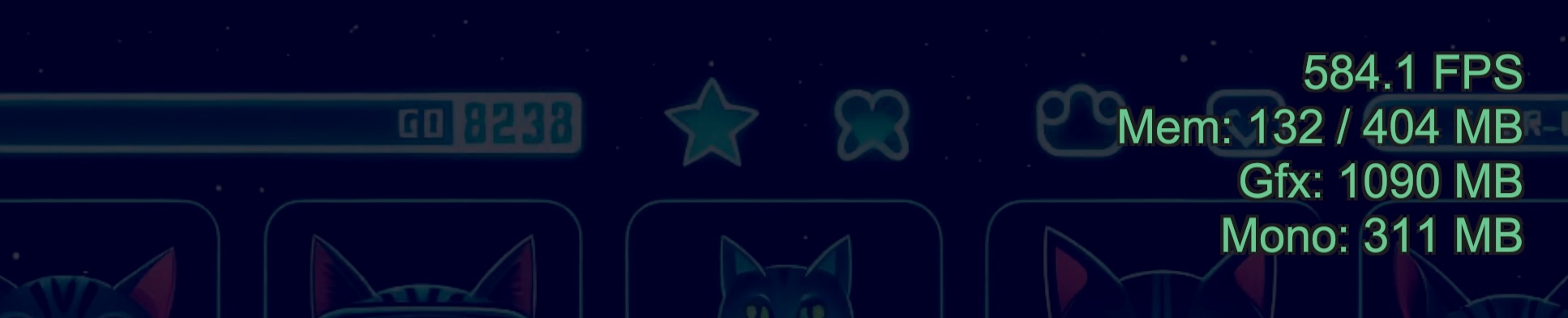
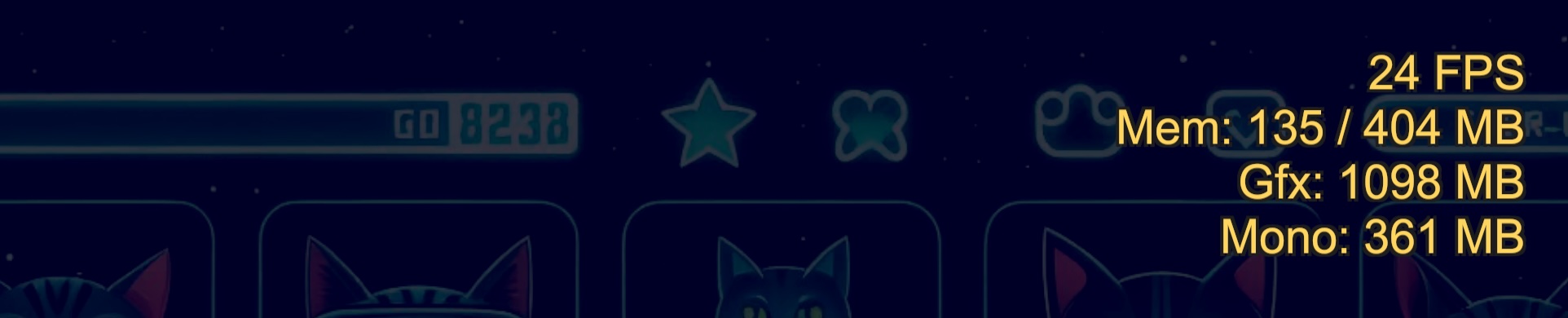
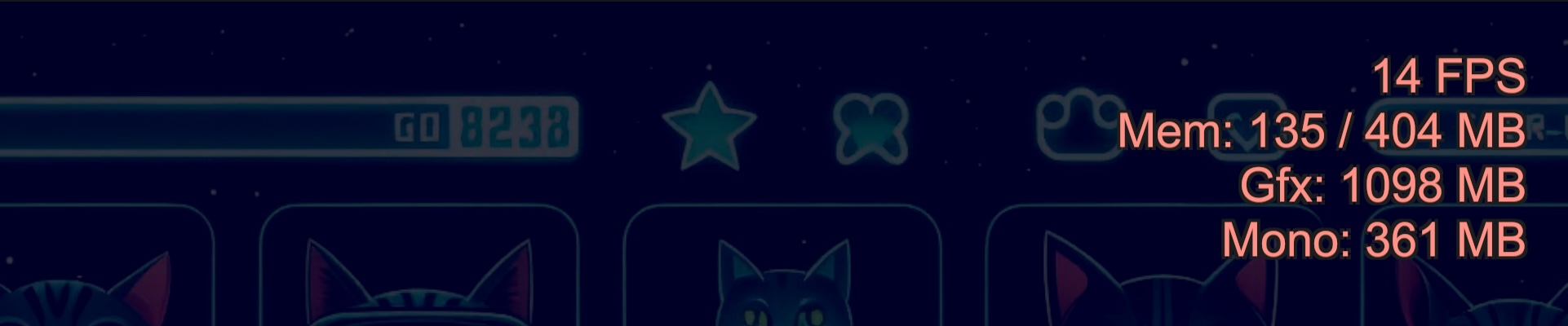
- FPS: Visual notifications of sudden frame rate changes using color-coded warnings
- Memory Monitoring: Display memory usage by type
💻 In-Game Console
Provides an experience nearly equivalent to Unity Editor's Console window on actual devices.
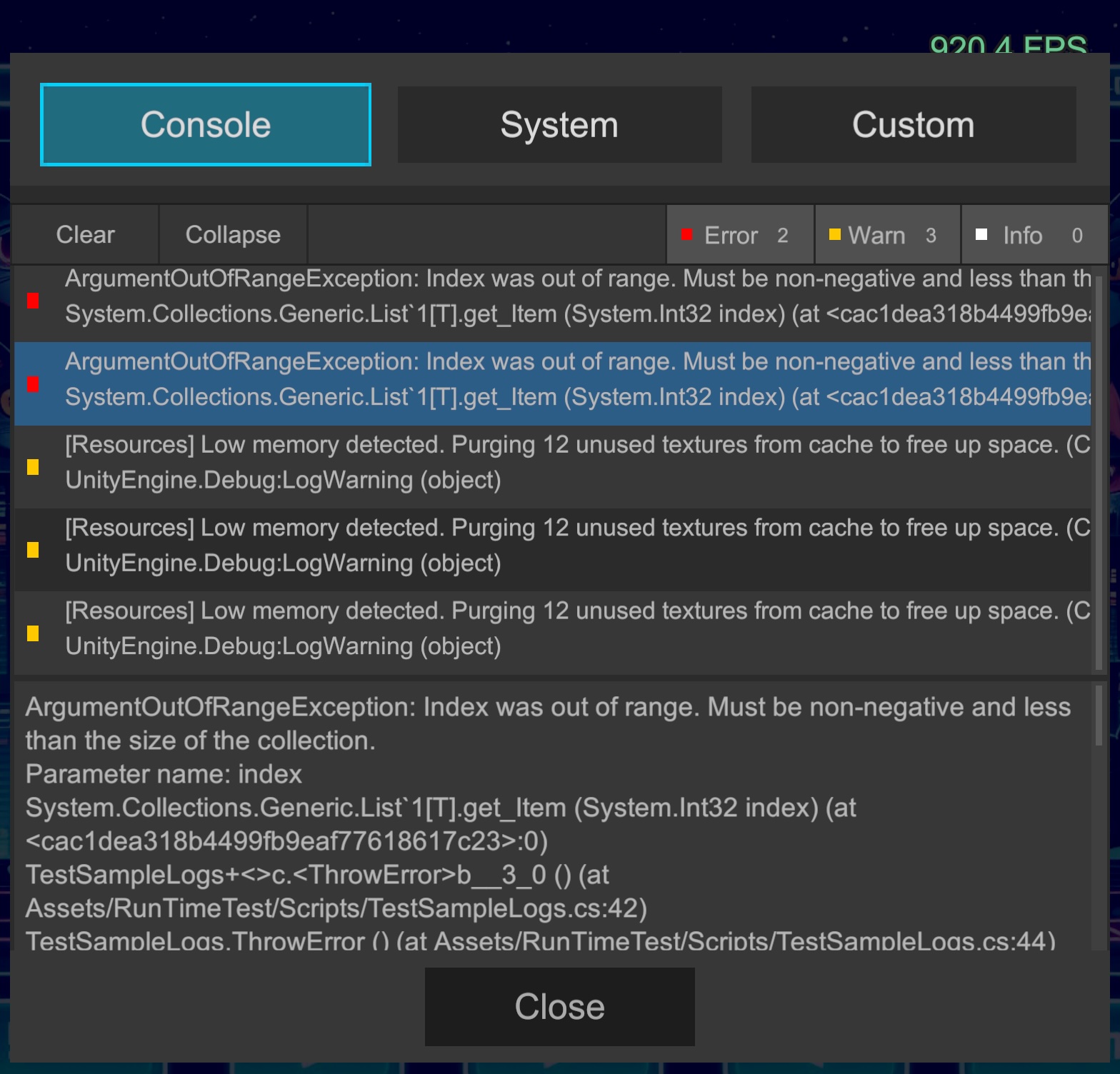
- Log Output: Captures standard output like
Debug.Log - Filtering: Filter by log level (Log/Warning/Error) and view stack traces
⚙️ System - Detailed
Displays hardware and software information of the running device at a glance.
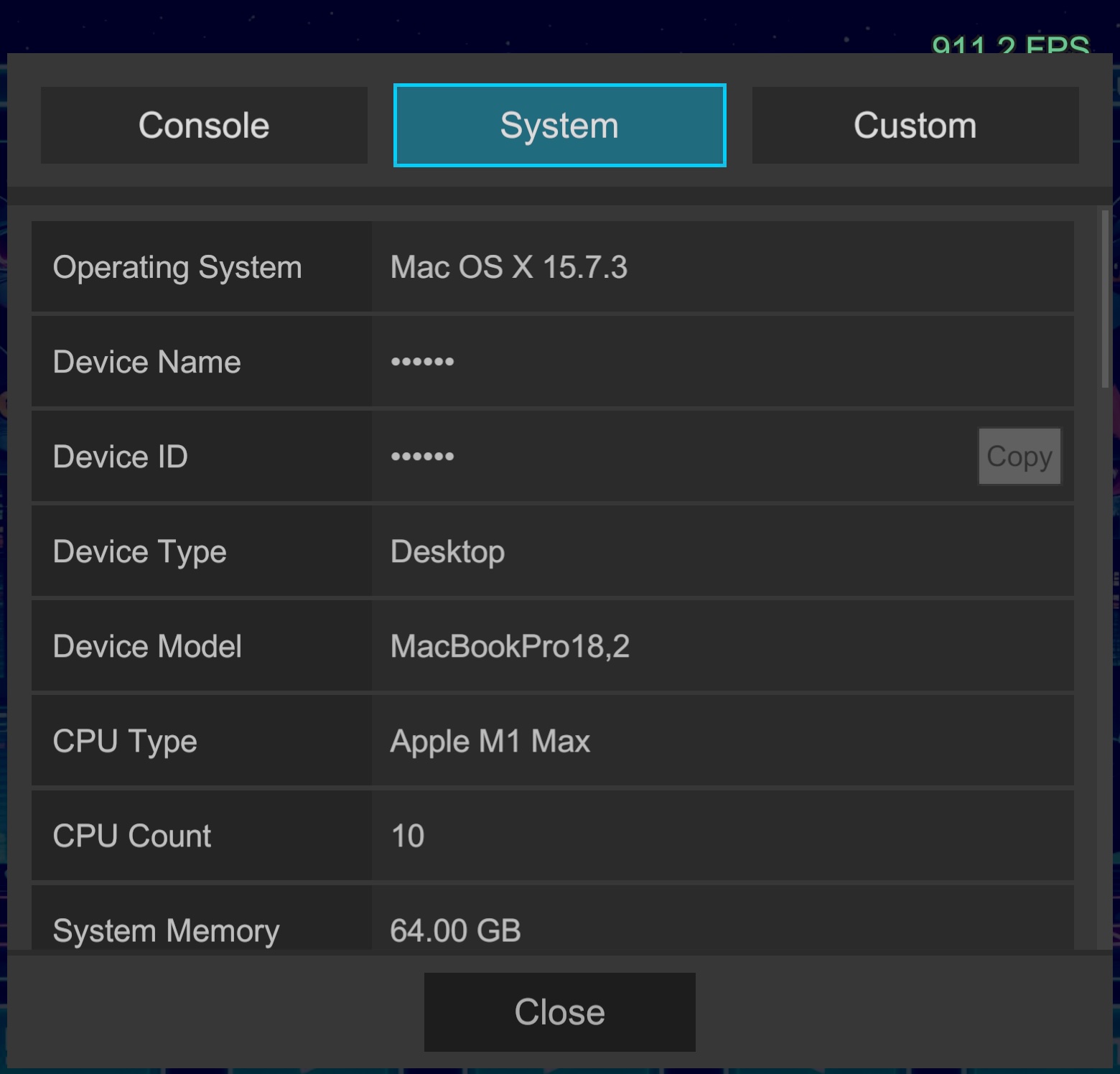
- Environment Info: Instantly access environmental information needed for debugging, such as OS version, model name, graphics API, and memory size
🛠️ Custom Menus
Add project-specific debug functionality with minimal code.
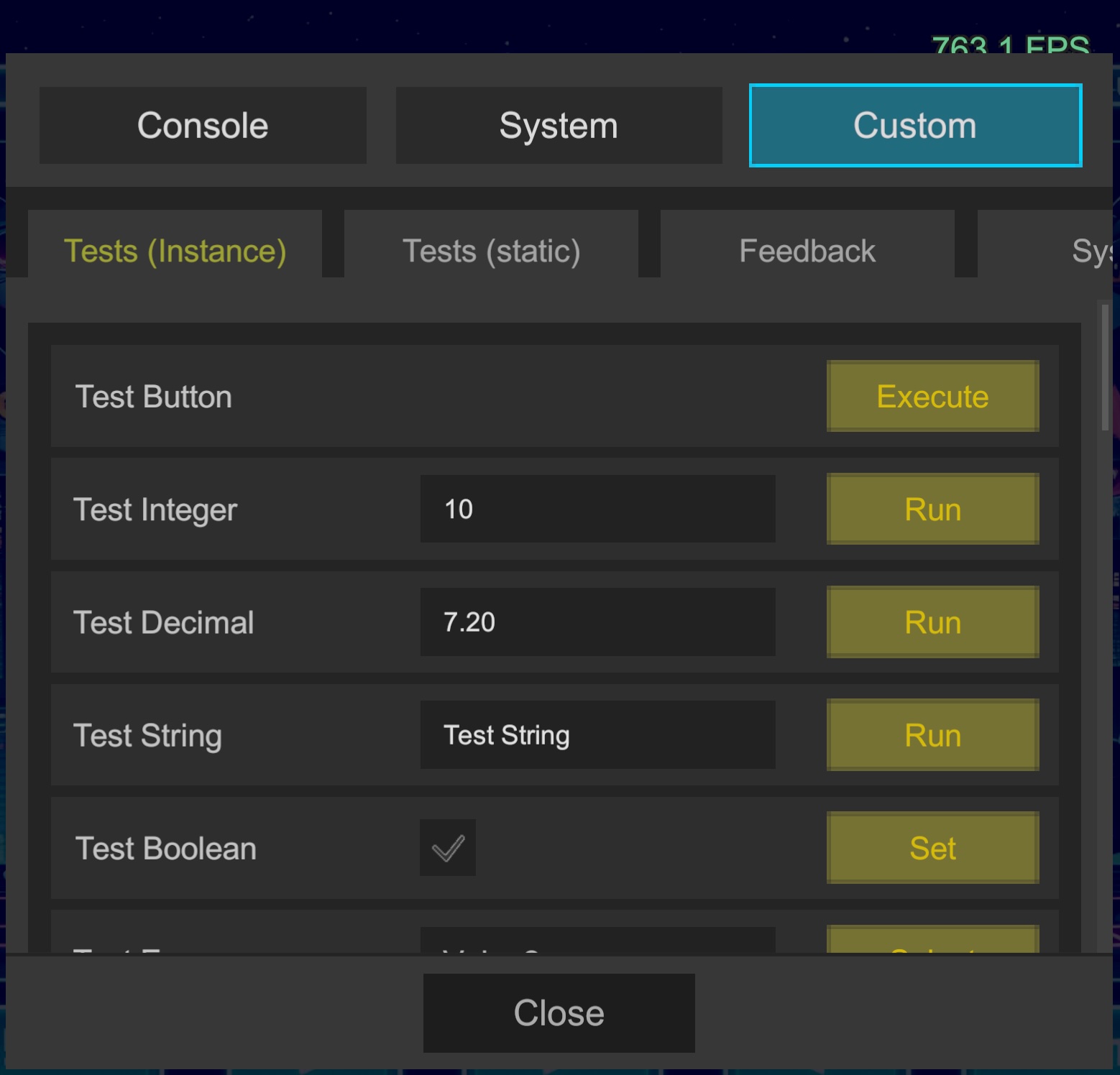
- Custom UI: Simply define functions with attributes in your scripts to add buttons, sliders, input fields, and more to the management screen
- Real-time State Tweaking: Dynamically modify parameters of active singletons or object instances on the fly.
Code Sample
using Logify;

[LogiButton("Test Button", "Execute")]
void Test()
{
    Debug.Log("Test");
}

[LogiButton("Test Integer")]
void Test(int integer)
{
    Debug.Log("Test Integer: " + integer);
}
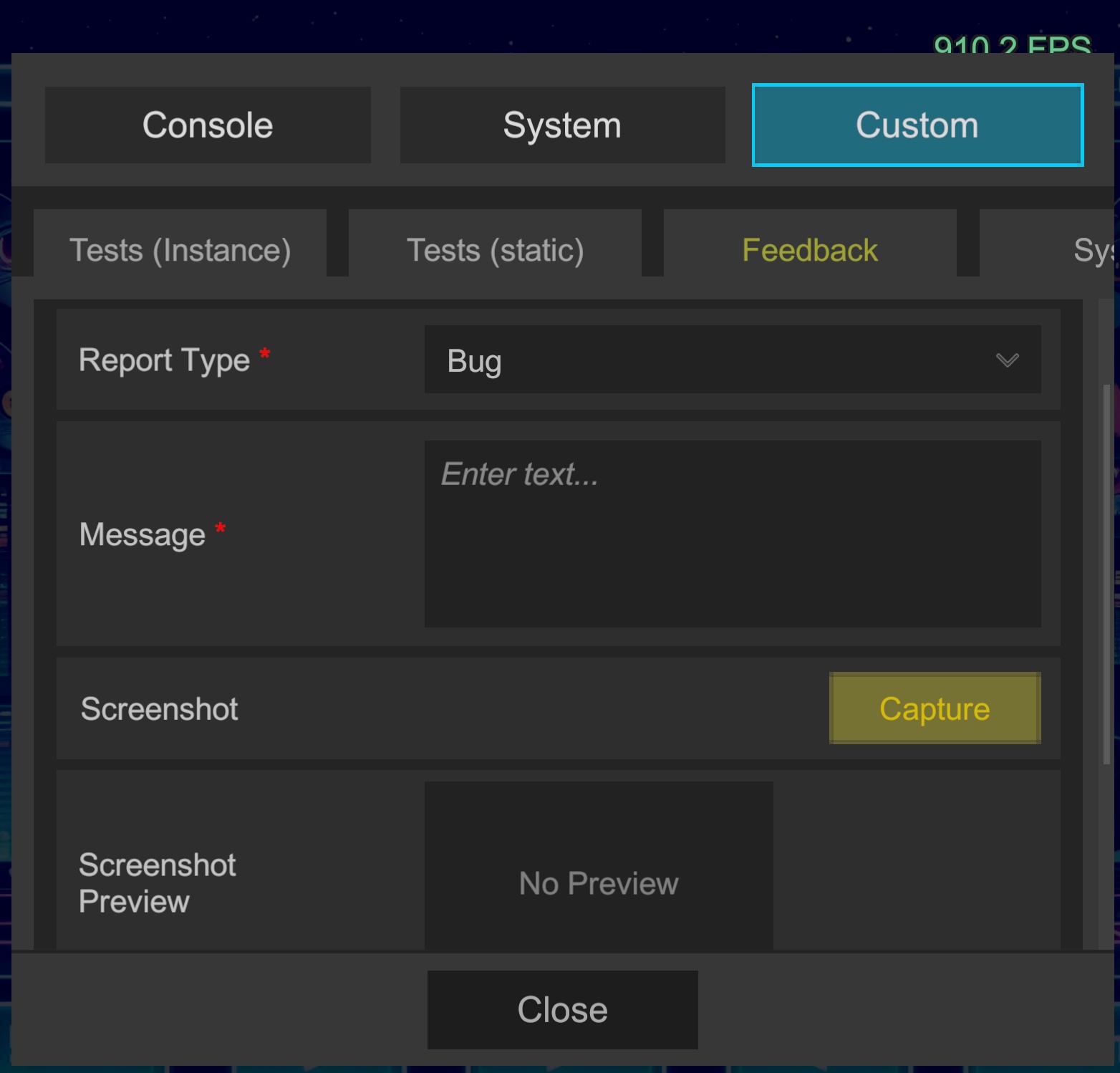
📧 Feedback
A form for receiving feedback from testers and development team members.
Discord Reception Example:
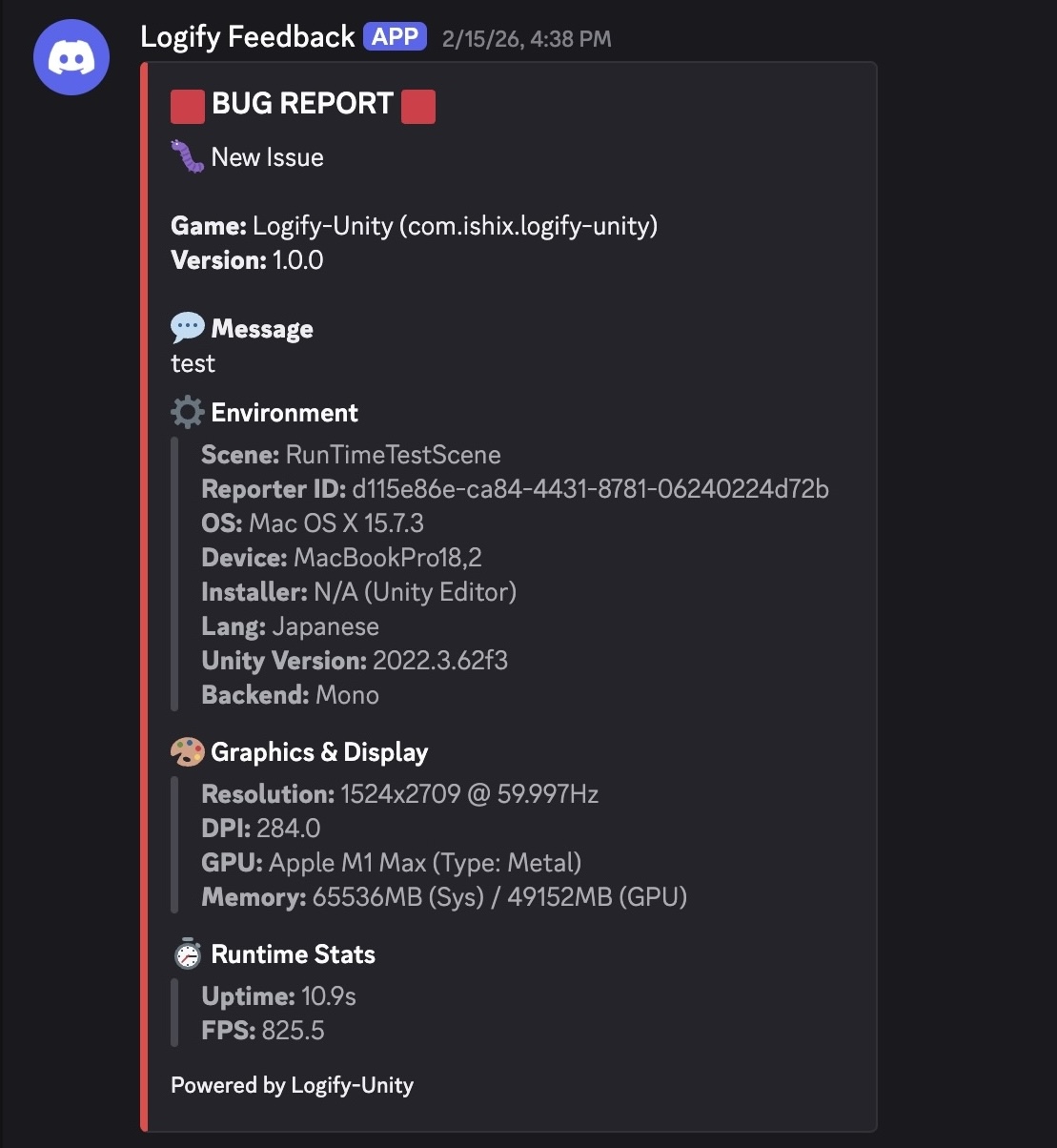
- Multi-Platform Integration: Send reports directly from in-game to Slack / Discord / Email[*1]
- Auto-Attach: Automatically packages and sends system information and recent logs at the time of submission
- Screenshots: Attach screenshots to your reports
*1 Using the email sending feature requires a relay endpoint (server-side API). A ready-to-use PHP script is included in the package. Anyone with access to a server running PHP can easily deploy it. See Server Setup for details.
🚀 Development Background
In mobile development, investigating device-specific bugs that don't reproduce in the editor is always challenging. This library enables visualization and manipulation of internal states on actual devices without cluttering your scenes, with minimal integration cost.
✨ Key Characteristics
- Zero Setup: No need to place prefabs or write initialization code
- Low Overhead: Consumes virtually no resources when hidden, minimizing performance impact
- Native Feel: Intuitive operation optimized for iOS/Android touch input
- Clean Build: Proprietary stripping mechanism prevents unnecessary resources from being included in release builds
🛠 How It Works
Internally uses [RuntimeInitializeOnLoadMethod] to run persistently. No need to modify existing EventSystem or UI structure, or place prefabs.
⭐ Loving Logify-Unity? Please consider leaving a review on the Asset Store!