🤖 Discord Webhook Integration
Setup procedure for receiving feedback directly using Discord's Webhook feature. Automatically generates a C++ native plugin internally to securely handle tokens.
Getting Webhook URL
First, issue a Webhook URL on the Discord server where you want to receive feedback.
-
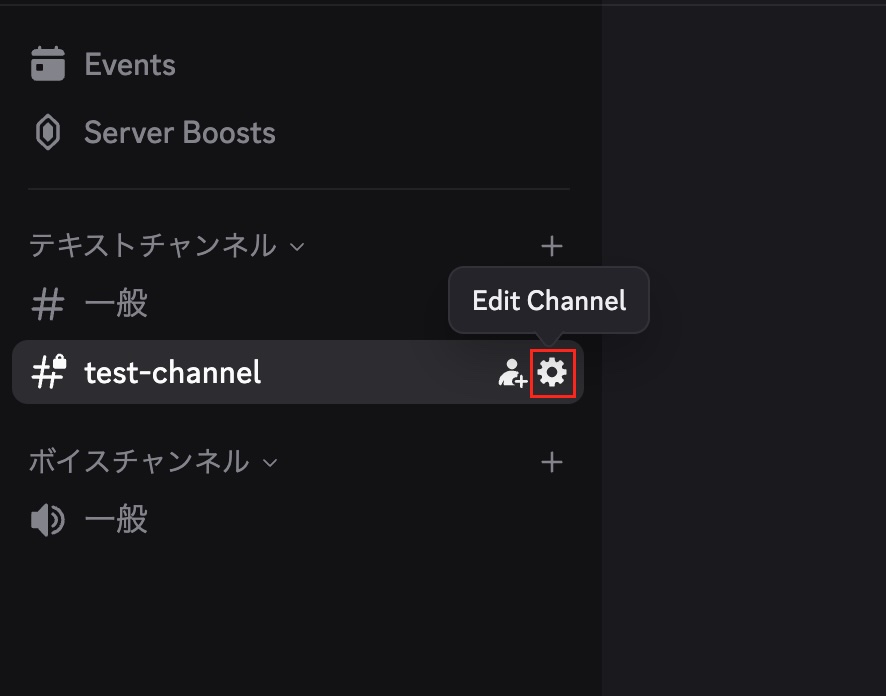
Open Channel Settings Click Edit Channel (⚙️) of the text channel where you want to receive feedback.
-
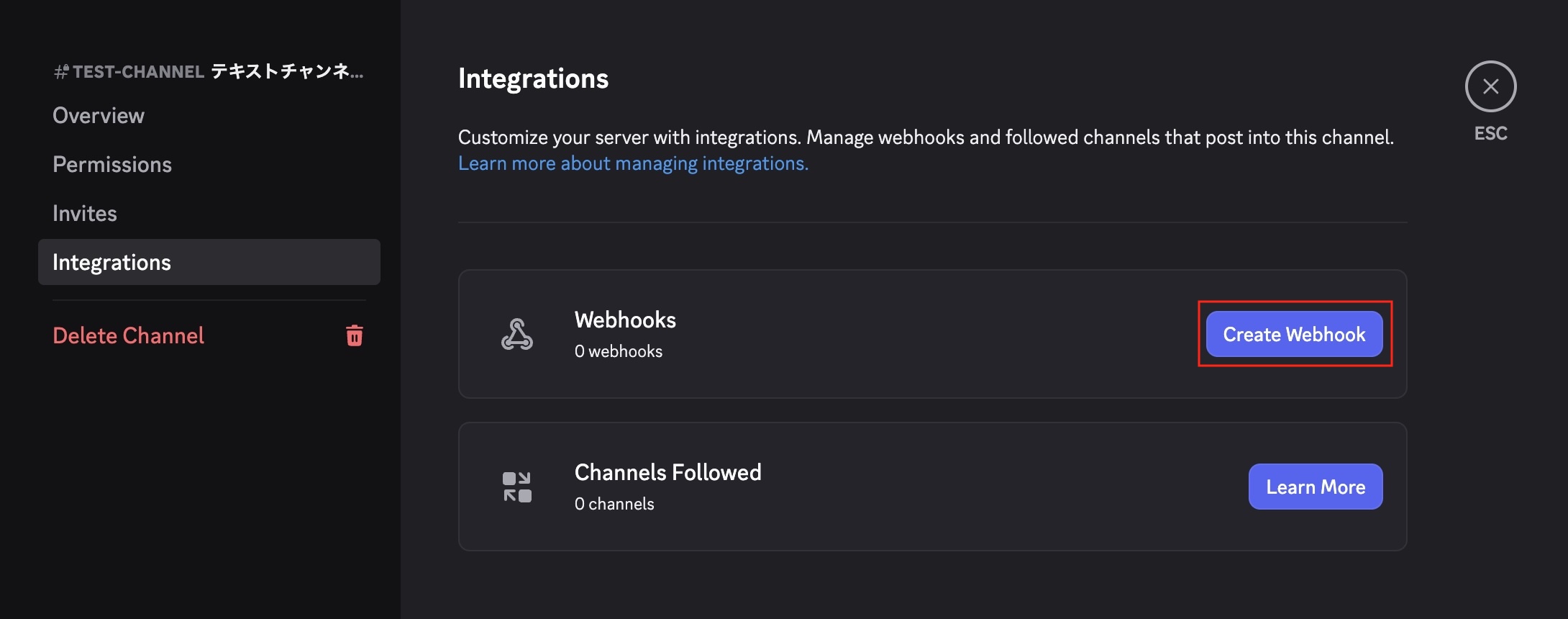
Create Webhook Select the Integrations tab and click the Create Webhook button.
-
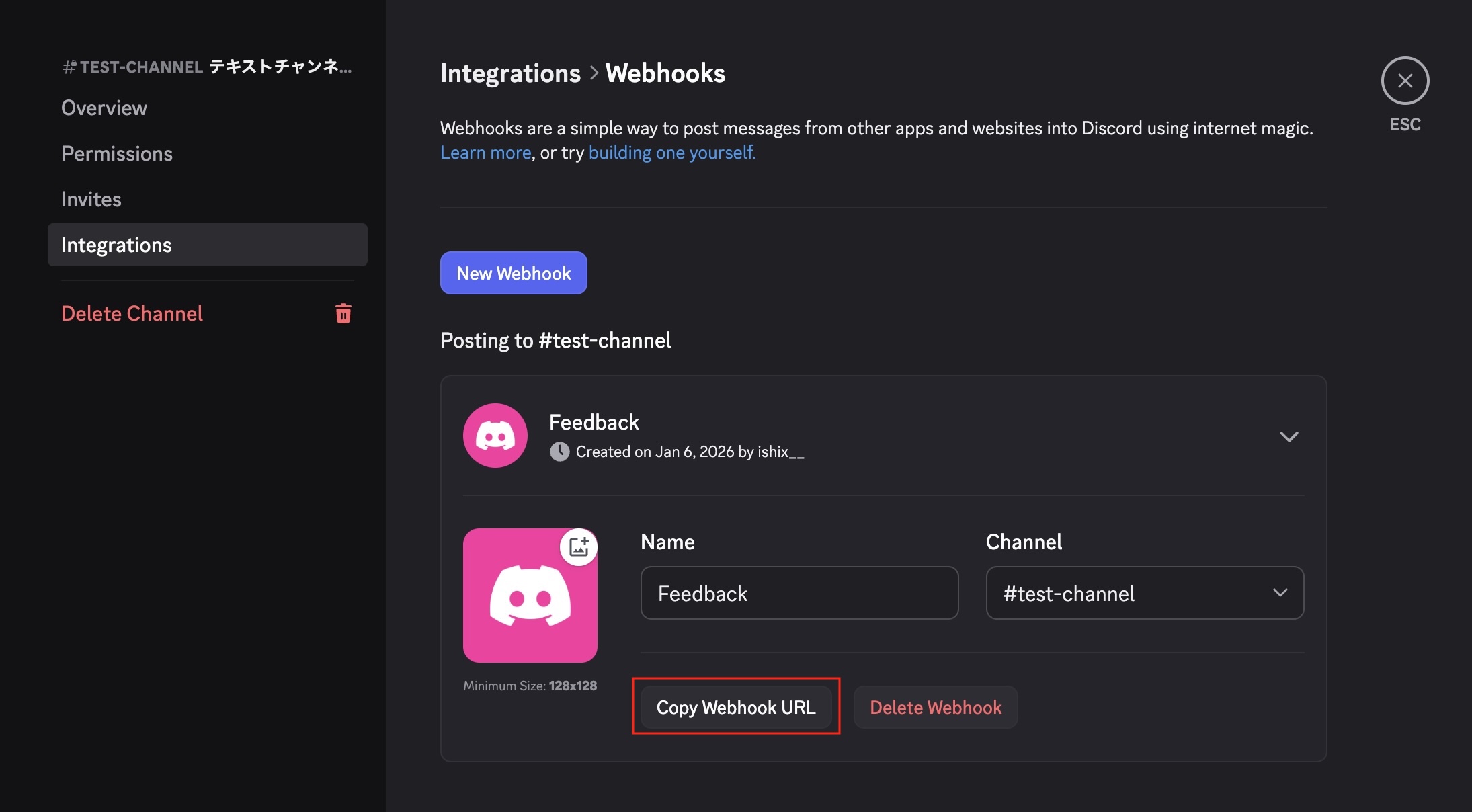
Copy URL Set a manageable name (e.g., "Logify Feedback") and click Copy Webhook URL to save it.
Unity Setup
Integrate the obtained Webhook URL into Logify-Unity.
1. Open Settings
Open the settings window from the menu bar Window > Logify-Unity > Settings.
2. Select Service
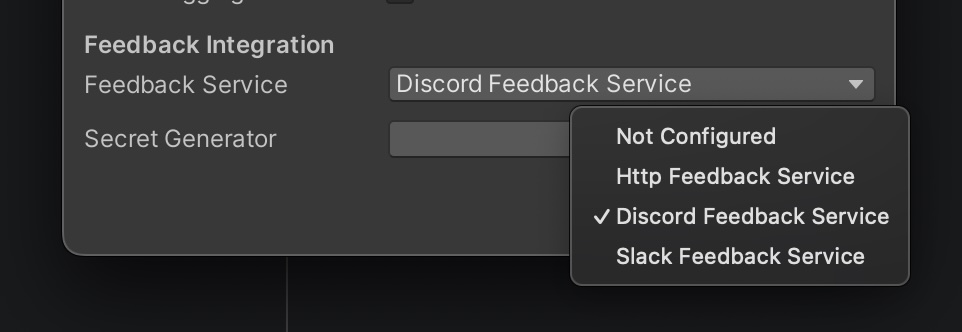
In the Feedback Integration section, select Discord Feedback Service from the Feedback Service dropdown. Then click the Open button of Secret Generator to open the generation tool.
3. Secure Generation
Paste the URL you obtained earlier into the Webhook URL field and click the Generate button.
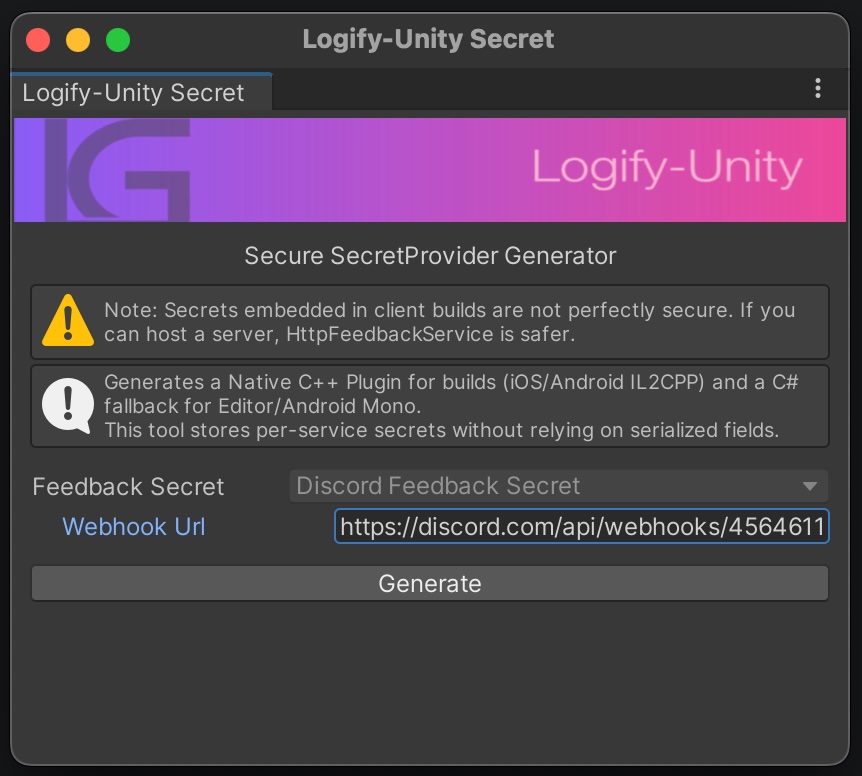
Executing Generate automatically generates obfuscated C++ code and C# Bridge code. This significantly reduces the risk of extracting the Webhook URL from the binary after build.
To enable protection via C++ plugin, set Scripting Backend to [IL2CPP] in Unity's Build Settings before building.
- iOS / Android (IL2CPP): Generated Native C++ Plugin is used, providing strong protection
- Editor / Android (Mono): Automatically generated C# fallback code is used for compatibility
🧪 Testing
Once setup is complete, test whether feedback is actually received.
- Run the app following Testing Procedure.
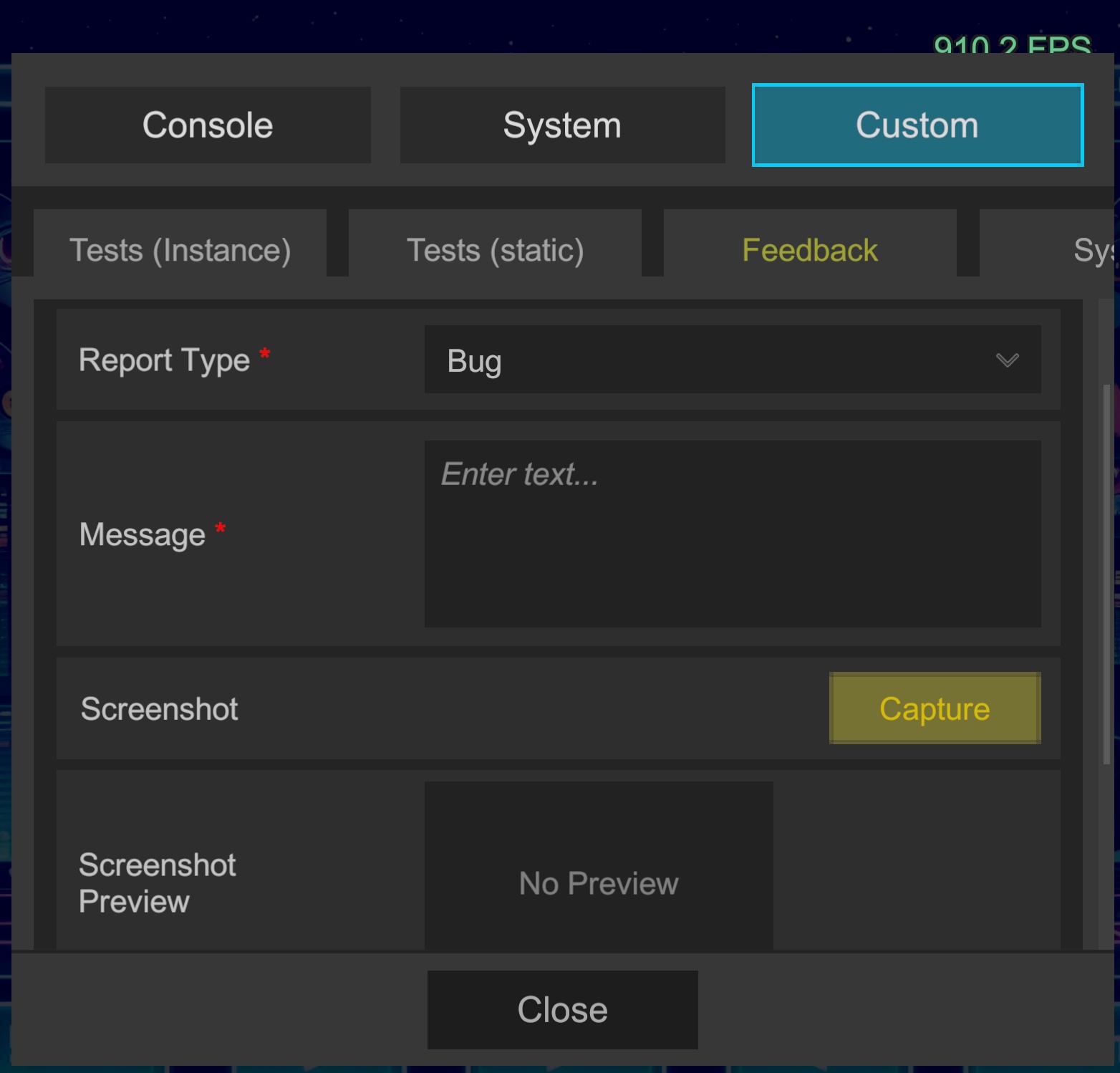
- Open the in-game Custom > Feedback tab, enter any message, and submit.
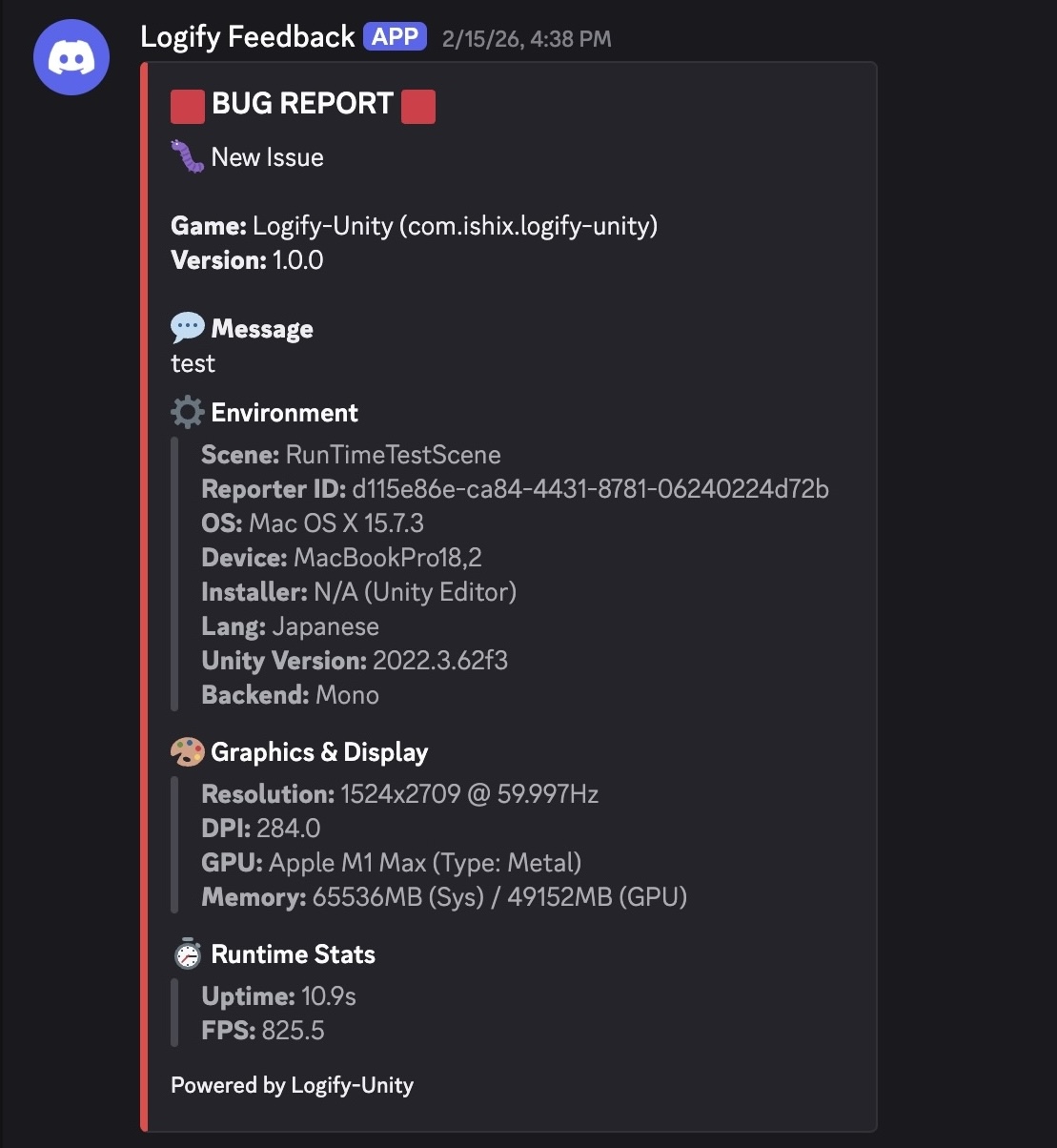
- Verify that the message with device information arrives in the designated Discord channel.
📬 Reception Example
🗄️ Server-Side Integration (Optional)
You're all set with the basic configuration!
If you plan to distribute your build to a wider group of testers, or if you require enhanced security and flexible notifications (such as email integration), consider using a dedicated backend server.
- ⚙️ PHP Server Setup and Operations Build your own backend to fully obfuscate tokens and ensure secure, encrypted communication.
- 🛡️ Server Operations and Security Learn why a server is beneficial for external testing, including the advantages of centralized risk management.