⚙️ System - Detailed
Displays a list of hardware and software information for the running device. When issues occur, you can immediately determine whether problems are dependent on specific OS versions or CPU architectures.
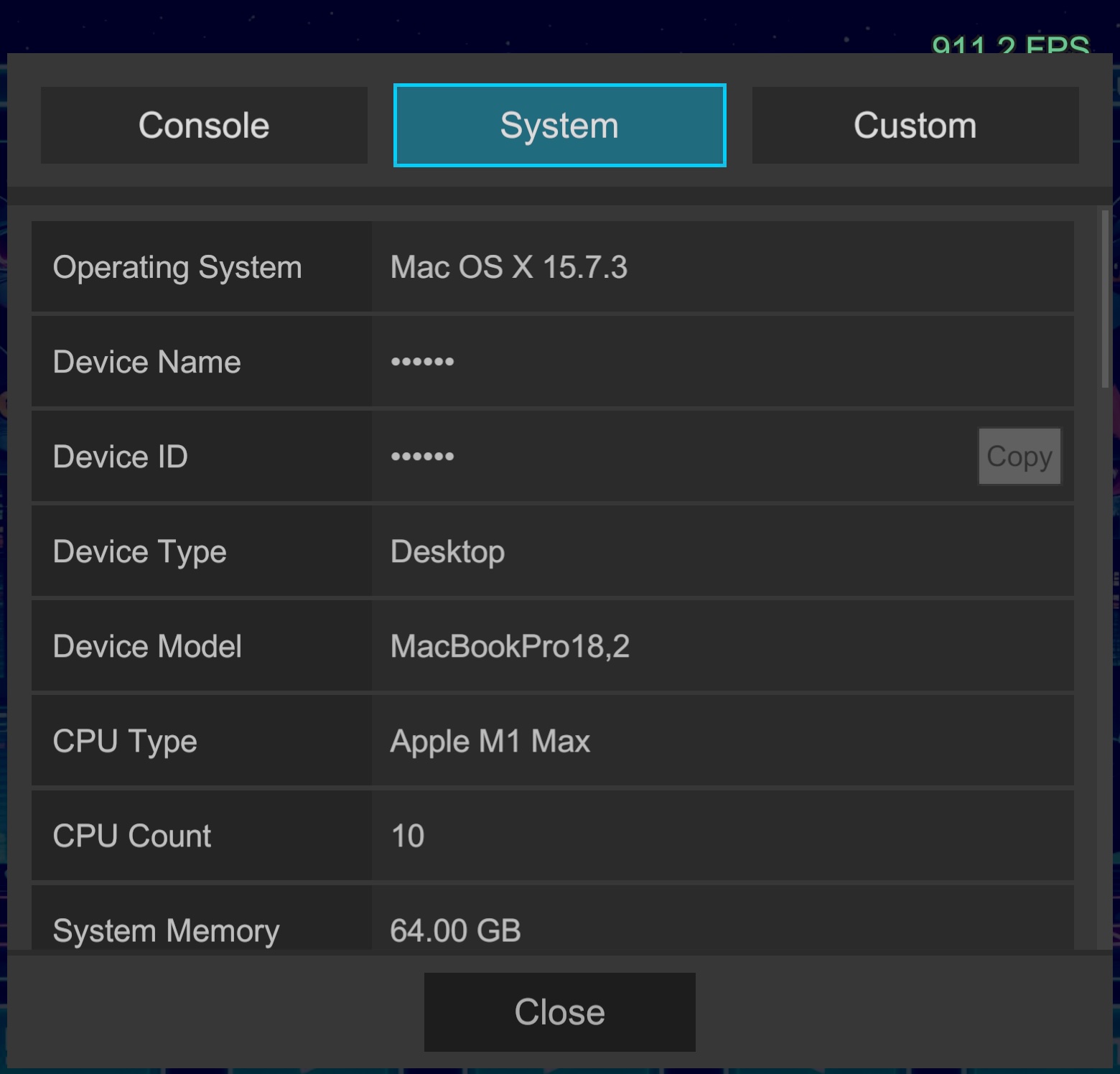
📋 Display Item List
The System tab displays the following information organized by category.
1. Device & OS (Basic Information)
Used for device identification and OS-dependent issue investigation.
| Item | Description |
|---|---|
| Operating System | OS type and version |
| Device Name | Device identifier |
| Device ID | Device-unique ID (copyable) |
| Device Type | Device category such as Desktop, Handheld |
| Device Model | Specific model name (e.g., iPhone15,3) |
| System Language | Device system language setting |
| Platform | Running platform |
2. Hardware (CPU/Memory)
Verify processing power and memory capacity.
| Item | Description |
|---|---|
| CPU Type | Processor name/architecture |
| CPU Count | Number of logical processors (cores) |
| System Memory | Total physical memory capacity |
| Battery Status | Charging state (AC connected, discharging, etc.) |
| Battery Level | Battery remaining (%) |
3. Graphics & Display
Used to verify rendering load, graphics performance, and resolution.
| Item | Description |
|---|---|
| Graphics Name | GPU name |
| Graphics Vendor | GPU vendor |
| Graphics Version | Graphics API version |
| Graphics Memory | VRAM (video memory) capacity |
| Gfx Type | Graphics API (Vulkan, Metal, Direct3D11, etc.) |
| Max Tex Size | Supported maximum texture size |
| Screen Res | Current resolution and refresh rate (Hz) |
| DPI | Screen pixel density |
| Instancing Support | GPU instancing availability |
| Compute Shader | Compute shader availability |
| HDR Display | HDR display (RGBAHalf) support availability |
4. Application & Unity
Verify build version and Unity runtime environment.
| Item | Description |
|---|---|
| Bundle ID | Application identifier (com.company.product) |
| App Version | Application version |
| Build Number | Mobile build number (retrieved from LogifySettings) |
| Unity Version | Unity Editor version being used |
| IL2CPP | Whether scripting backend is IL2CPP |
| Install Mode | Distinguishes store installation vs. development installation |
| Target FPS | Application.targetFrameRate setting value |
| VSync | Vertical sync setting state |
💡 Usage Scenarios
Practical Examples
- Shader Bug Investigation: Check
Graphics NameandGfx Typeto distinguish between GPU-specific (Adreno/Mali, etc.) rendering errors and API-dependent (Vulkan/OpenGL ES) issues. - QA Cost Reduction: If testers include
Systemscreen in their screenshots, it immediately identifies "which build" and "which device specs" the problem occurred on. - Release Decision Criteria: Verify that
IL2CPPisTrueandBuild Numberis current to prevent confusion between debug and release candidate builds.