⚙️ Initialization & 📑 Tabs
Generates logically organized debug menus by class without requiring complex UI construction.
📑 Automatic Grouping Mechanism
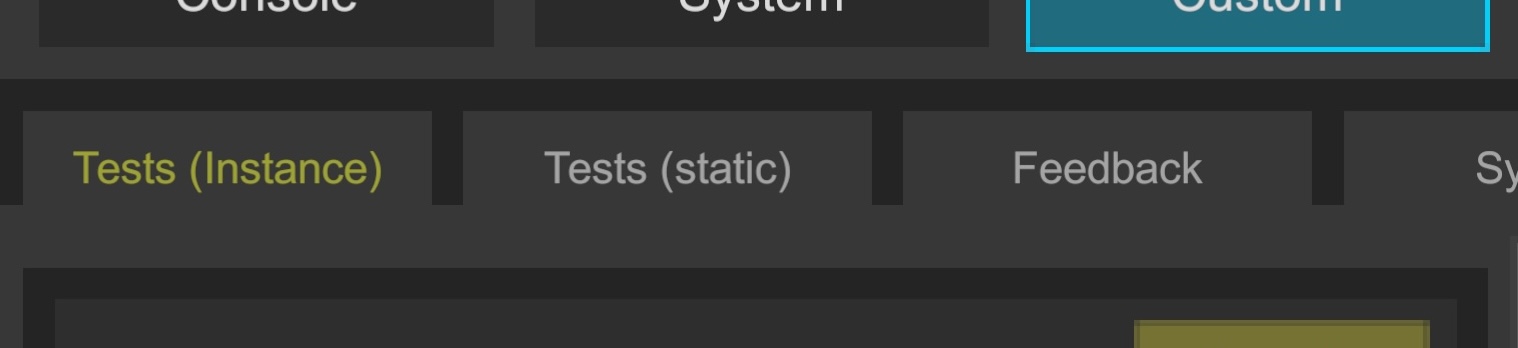
When calling Logi.Register, it detects Attributes (such as [LogiButton]) and automatically groups them by defining class, expanding as tabs at the top.
⌨️ Registration Method
Registration requires specifying your instance, tab name, and display order (Order).
// Registration
void Awake() => Logi.Register(this, "Tests (Instance)", 1);

// Must unregister on destroy
void OnDestroy() => Logi.Unregister(this);

[LogiButton("Test Button", "Execute")]
void Test() => Debug.Log("Test");

// ...
💡 Automating Lifecycle Management
To prevent forgetting to unregister in OnDestroy, you can use the AddTo extension method that detects object destruction and automatically removes it.
// Can bind lifecycle similar to Observable in UniRx
void Awake()
    => Logi.Register(this, "Tests (Instance)", 1)
       .AddTo(this); // Added

// No need for manual unregistration
// void OnDestroy() => Logi.Unregister(this);
🏗️ Advanced Configuration: Implementing ILogiCommandGroup
For MonoBehaviour, you can specify names and order in Awake, but for pure C# classes (POCOs) where you want "the class to define its own tab name and display order," implement the ILogiCommandGroup interface.
This allows the menu to be constructed with appropriate metadata without the caller knowing the details.
public sealed class MyClass : ILogiCommandGroup, IDisposable
{
    // Tab name (group name) definition
    string ILogiCommandGroup.GroupName => "My Group";

    // Tab display priority (ascending order)
    int ILogiCommandGroup.Priority => 2;

    [LogiButton("Test Button", "Execute")]
    void Test() => Debug.Log("Test");

    // If IDisposable is implemented,
    // Dispose is called when Logi.Unregister() executes or when linked object is destroyed.
    public void Dispose()
    {
        // Release managed resources, etc.
    }
}
🛠️ Registration Code
When the interface is implemented, you can register simply by omitting arguments.
// Tabs are automatically generated based on class definition
var myClass = new MyClass();
Logi.Register(myClass).AddTo(this);
⚠️ Handling Static Classes
Registering static classes (Type) is generally not recommended.
- Reason: If UI depends on objects in the scene, UI persists after scene destruction, causing
MissingReferenceExceptionduring operations. - Recommendation: Perform explicit registration/unregistration aligned with lifecycle using
MonoBehaviour'sOnEnable/OnDisable, etc.
💡 Usage Scenario: Initialization = Automatic Tab Generation
In device debugging, "registering during initialization" in a single step keeps the debug menu always current and organized.
Since tabs are divided by class, simply splitting components by feature naturally creates an easy-to-use debug UI.