🏁 Overview
Simply add Attributes to source code to instantly generate custom debug operations in the Custom tab.
Eliminates UI creation overhead, allowing you to focus on logic verification.
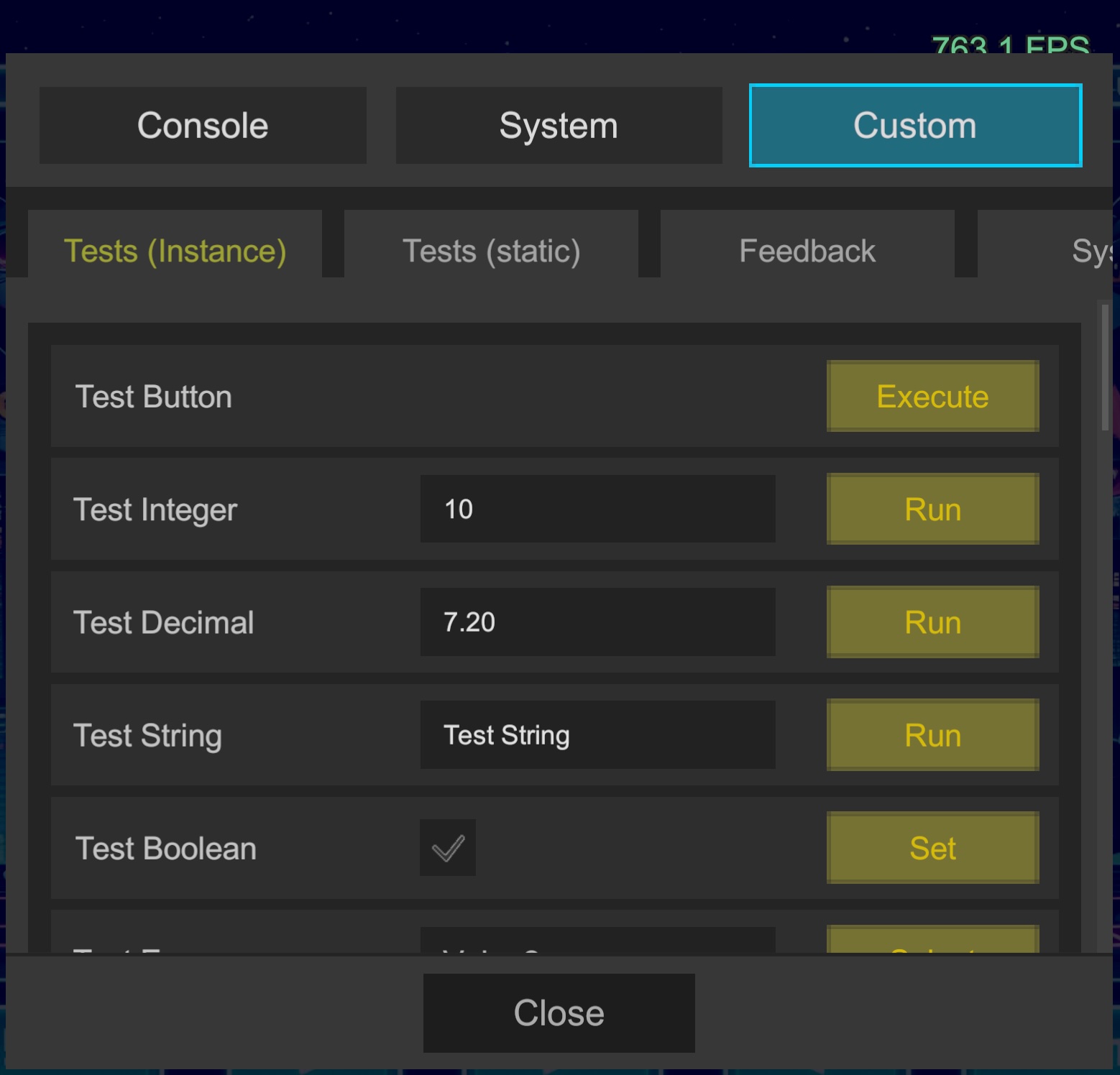
⚡ Add a Button in One Line
Simply apply [LogiButton] to a method to display an execution button in the dialog.
[LogiButton("Test Button", "Execute")]
void Test() => Debug.Log("Test");
🎚️ Real-Time Value Monitoring & Modification
You can also visualize runtime status.
[LogiStatus("Test Status", false)]
string TestStatus() => $"Integer set to: {_integer}";

// Display images
[LogiPreview("Test Sprite")]
Sprite TestSprite() => _sprite;
🌱 Initialization
Register in Awake to make it available.
Unregister in OnDestroy.
void Awake() => Logi.Register(this, "Tests (Instance)", 1);

void OnDestroy() => Logi.Unregister(this);

[LogiButton("Test Button", "Execute")]
void Test() => Debug.Log("Test");
⚙️ Features
- No Boilerplate Required: No manual UI construction needed
- Tab Management: Organizes into tabs based on names provided during registration
note
When Managed Stripping Level is Medium or higher, reflection protection settings are required. See Managed Stripping Considerations for details.