⏱️ Verify in 10 Seconds
This plugin requires no initial setup after import. You can test functionality immediately after installation with the following steps.
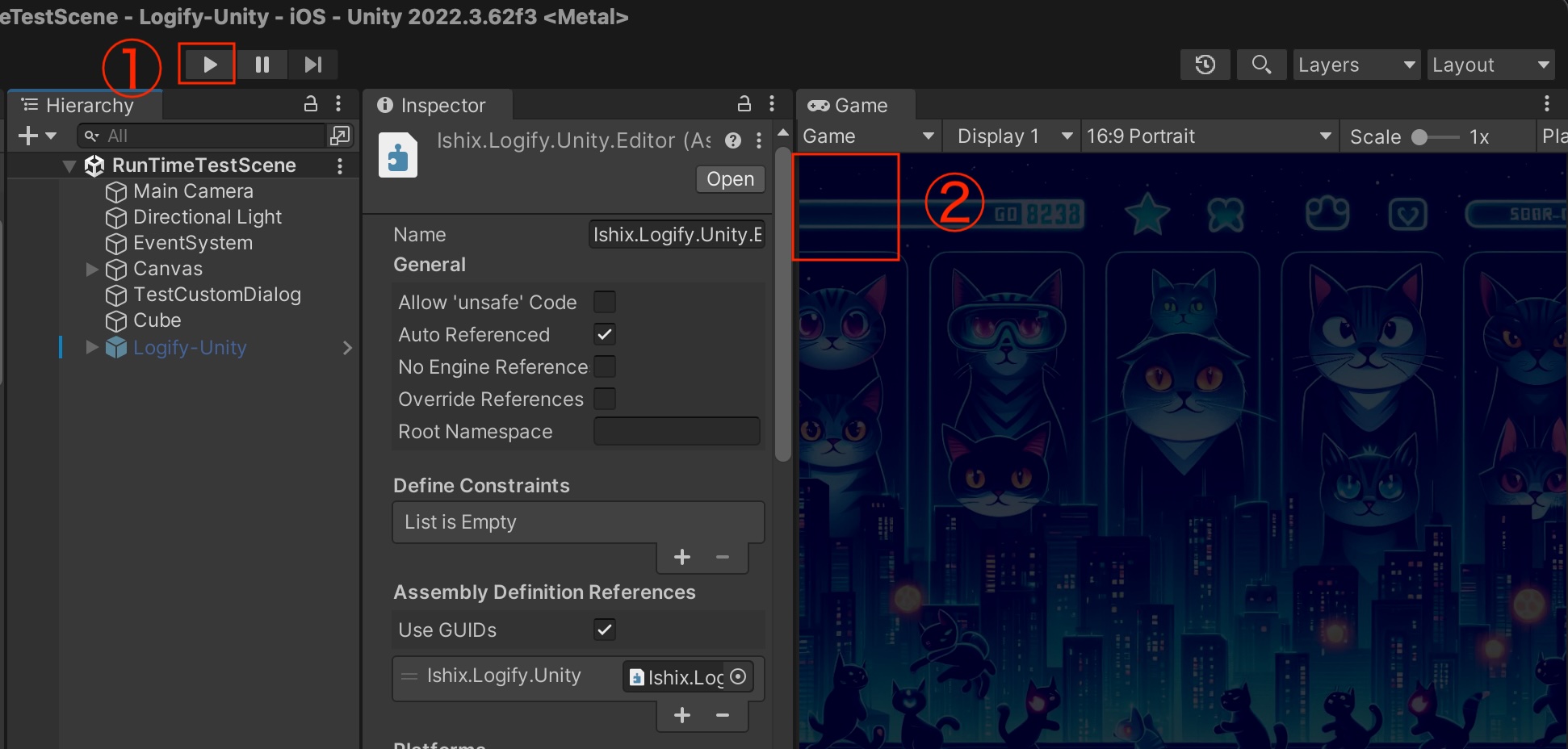
1. Testing Procedure
- Open any scene in the Unity Editor and enter Play mode.
- Long press the top-left corner (default position) of the screen.
- If the debug dialog appears, the setup is successful.
2. Customizing Controls
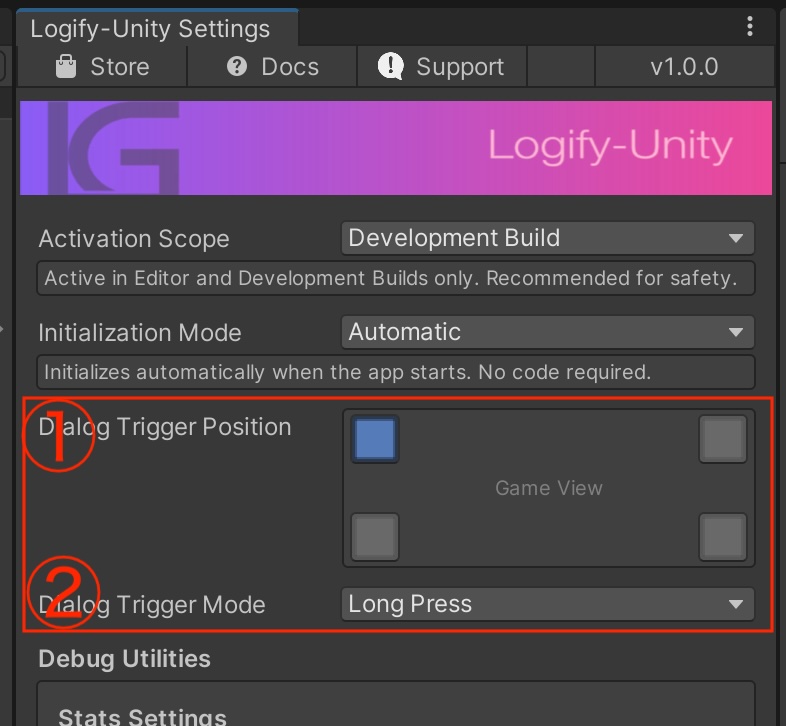
Settings: Window > Logify-Unity > Settings
The activation conditions can be freely adjusted to match your project's UI layout.
① Detection Area: Adjust to any screen corner ② Activation Trigger: Long press / Double tap / Triple tap
Notes
- Clean Scene Design: Auto-generated using
[RuntimeInitializeOnLoadMethod], so it doesn't affect existing scene structure - Enable/Disable Toggle: Can be switched from
Window > Logify-Unity > Settings - Device Operation: Works the same way on iOS / Android devices with similar gestures.